




















PostPlanifyPostPlanify
🎵 Best TikTok Scheduler

Schedule TikTok Posts and Videos.

Built-in analytics to see what's working. A social inbox for every comment. A visual calendar to stay consistent. Everything you need to grow on TikTok, in one dashboard.

  • All content types supported
  • Best time to post
  • Bulk schedule
User
User
User
User
User
User
Trusted by 2,150+ businesses
PostPlanify dashboard

Trusted by agencies and brands in 30+ countries

shopmeagent_com
elevatecom_com_au
ameco_group_com
udydigital_com
getnorms_com
arcdigital_ro
craftix_io
ferociti_net
eles_com_br
globtechllc_com
acarograf_com
getlogical_co_uk
globaltalent_co
plenavitashift_com
aprovaleges_com_br
nexposuremedia_com
cotwrealty_com
dreamdestination_agency
techdots_dev
wellorganised_com_au
scriptsee_io
shopmeagent_com
elevatecom_com_au
ameco_group_com
udydigital_com
getnorms_com
arcdigital_ro
craftix_io
ferociti_net
eles_com_br
globtechllc_com
acarograf_com
getlogical_co_uk
globaltalent_co
plenavitashift_com
aprovaleges_com_br
nexposuremedia_com
cotwrealty_com
dreamdestination_agency
techdots_dev
wellorganised_com_au
scriptsee_io
Product demo

See PostPlanify in action

Watch how teams plan, schedule, publish, and report on every social account — all from one dashboard.

Posting Is Just the Start

Growing Requires Analytics, Engagement, and Consistency

Scheduling content is just one piece. To actually grow on TikTok, you need to know what's working, engage with your audience, and stay consistent — without it becoming a full-time job.

Without a tool like this

  • No idea which posts actually drive engagement
  • Comments pile up across posts — easy to miss replies
  • Inconsistent posting tanks your algorithmic reach
  • Managing content across platforms separately

With PostPlanify

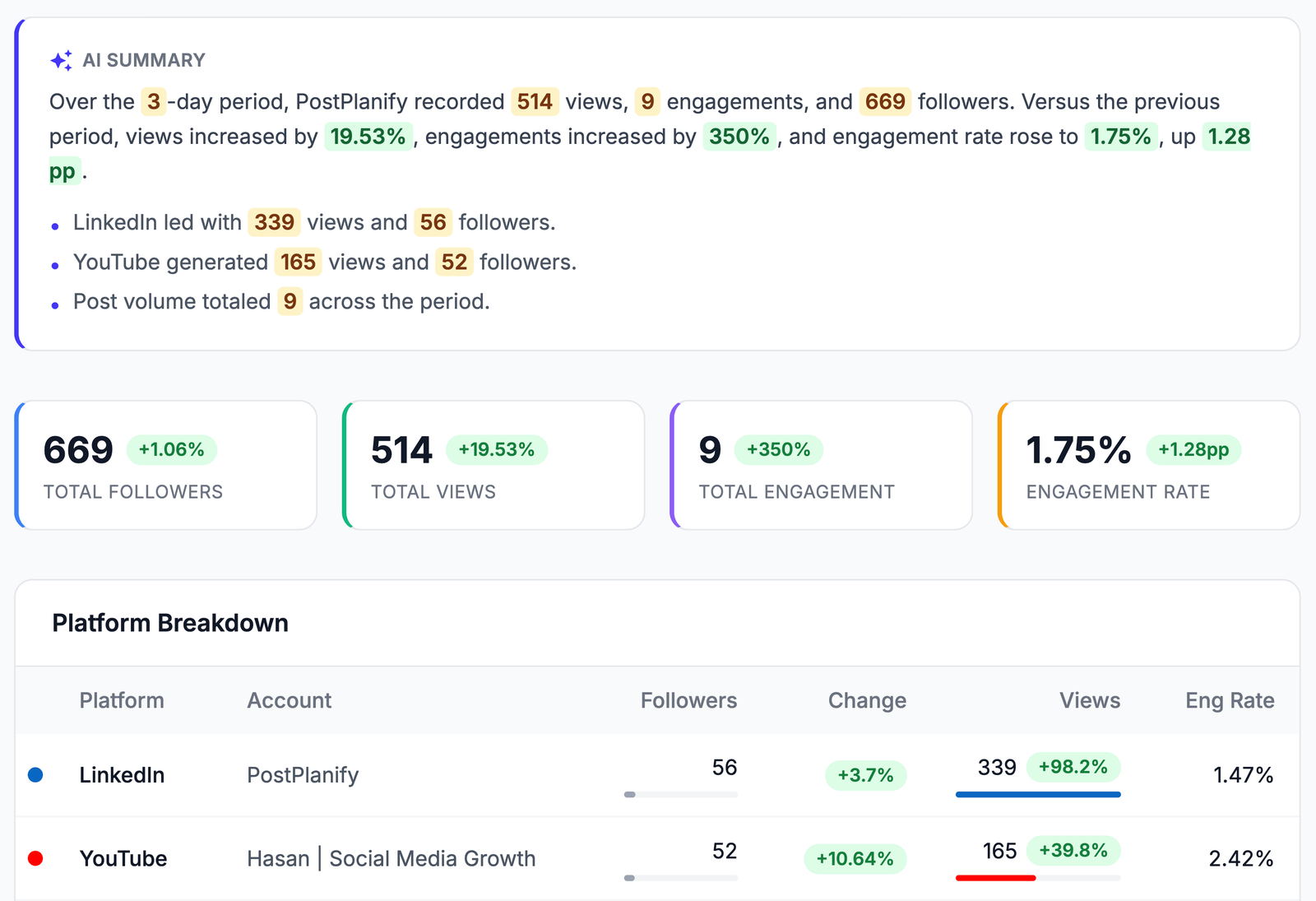
  • Built-in analytics show what's working on TikTok
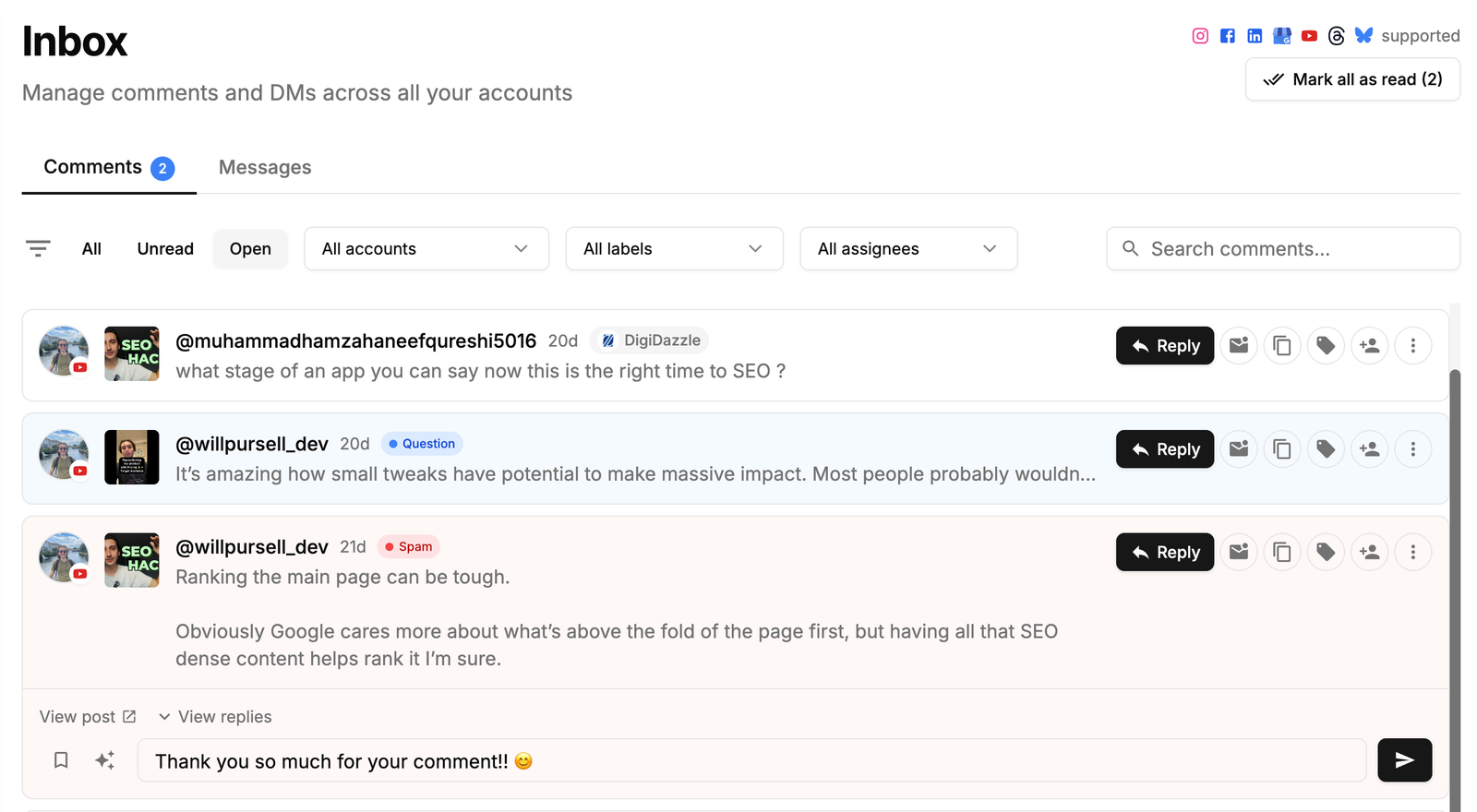
  • Social inbox catches every comment — reply, label, assign
  • Visual calendar keeps your TikTok schedule consistent
  • Schedule to TikTok and 9 more platforms from one calendar

What our customers say

Real agencies. Real numbers. Real results.

Andreas Luisa

Andreas Luisa

arcdigital.ro

I run an agency and PostPlanify has been a game-changer. The team listens to feedback and ships features fast. I rarely see that level of responsiveness in this space.

14 Clients, 35 Social Accounts
Eric Bai

Eric Bai

shopmeagent.com

We manage social across China and the US from a single dashboard. The calendar view, approvals, and multi-platform scheduling make this easy.

10 Social Accounts, 2 Countries
Umut Yorulmaz

Umut Yorulmaz

udydigital.com

The team ships feature requests within 24 hours. We're scheduling 95 posts per day across 17 accounts without breaking a sweat.

17 Social Accounts, 2 Brands
Live count

48165+

Posts published

10

Platforms supported

180K+

Social accounts connected

User
User
User
User
User
User

Join 2,150+ users who save time every week

Choose Your Plan

Start with a 7-day free trial. Cancel anytime.

Trusted by 2,150+ businesses

Growth

For small teams and solo agency owners managing a few accounts.

$63/month
Save $192/yr

$756 billed yearly

Try for Free Now
  • 15 Social Accounts
  • 5 Workspaces
  • 3 Users
  • Unlimited Posts
  • Analytics
  • Reply to Comments + DMs
  • Bulk Schedule
  • Media Library
  • Shared Calendar
  • Link in Bio
  • Full API + MCP Access
  • AI Assistant
  • Custom Integrations*
Most Popular

Premium

For growing agencies with full team collaboration features.

$127/month
Save $384/yr

$1,524 billed yearly

Try for Free Now
  • Everything in Growth, plus:
  • 30 Social Accounts
  • 15 Workspaces
  • 6 Users
  • Advanced Analytics
  • Reports
  • Post Approvals
  • Team Comments / @Mentions
  • Roles & Permissions
  • AI Training & Knowledge
  • 400 AI Images / mo

Scale

For established agencies managing dozens of clients + need white-label.

$191/month
Save $576/yr

$2,292 billed yearly

Try for Free Now
  • Everything in Premium, plus:
  • 100 Social Accounts
  • 50 Workspaces
  • 12 Users
  • White-Label PDF Reports
  • 800 AI Images / mo
  • Priority Human Support
  • Dedicated Onboarding & Migration

Enterprise

For larger agencies needing SSO and custom contracts.

Custom

Custom billed yearly

Save 20%
Book a Demo
  • Everything in Scale, plus:
  • Custom Social Accounts
  • Unlimited Workspaces
  • Unlimited Users
  • Unlimited AI Images / mo
  • 1:1 Onboarding Call
  • Priority Feature Requests
  • Private WhatsApp Support
$0 today • 7-day free trial • 14-day money back guarantee*

*Google Drive, Canva, Unsplash and Dropbox

Why Choose PostPlanify for TikTok?

Everything you need to grow and manage your TikTok presence efficiently

01

Videos, Photo Slideshows & Image Posts

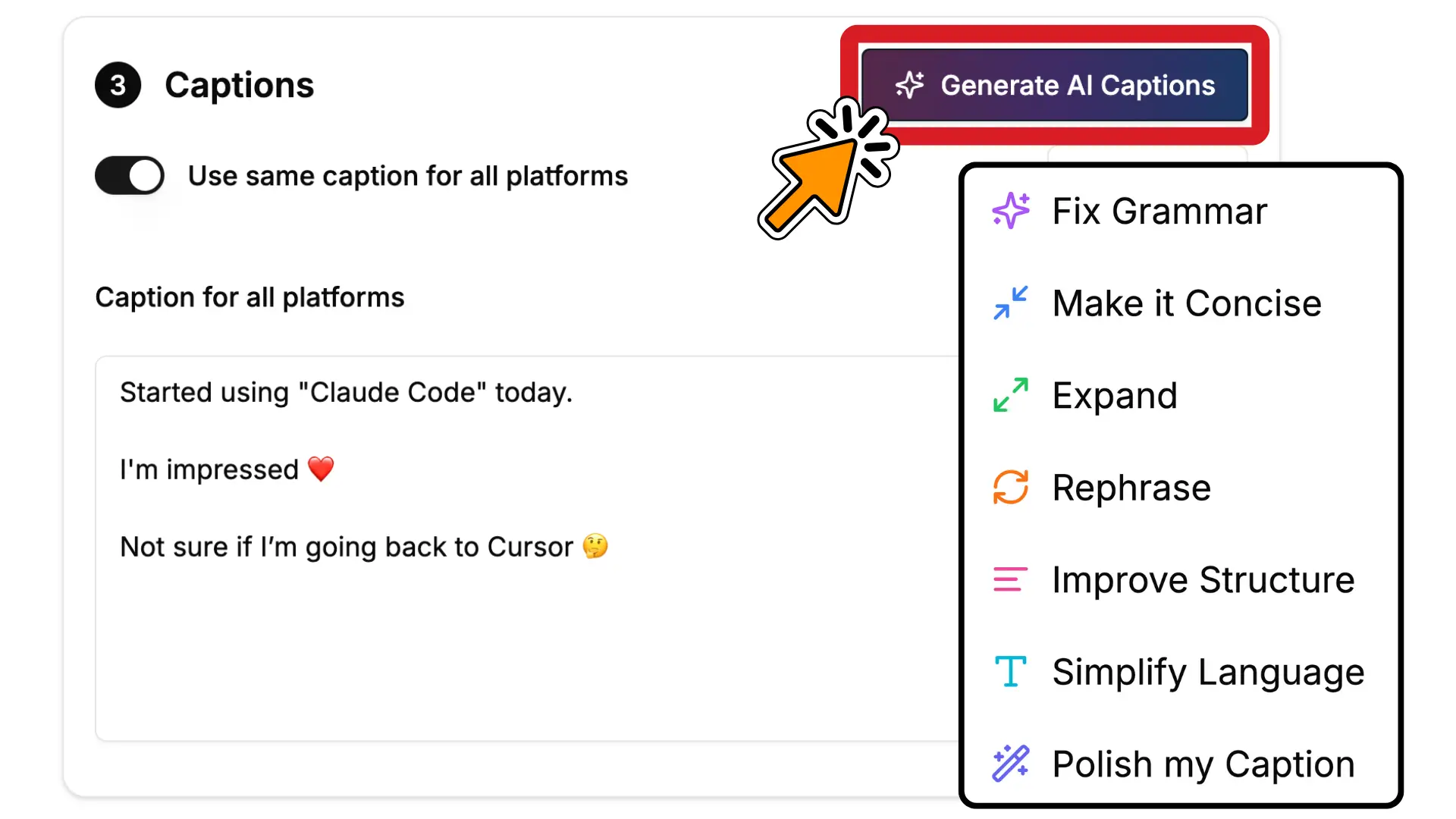
Schedule every TikTok format — videos, photo slideshows, and image posts — from one composer.

02

TikTok Analytics

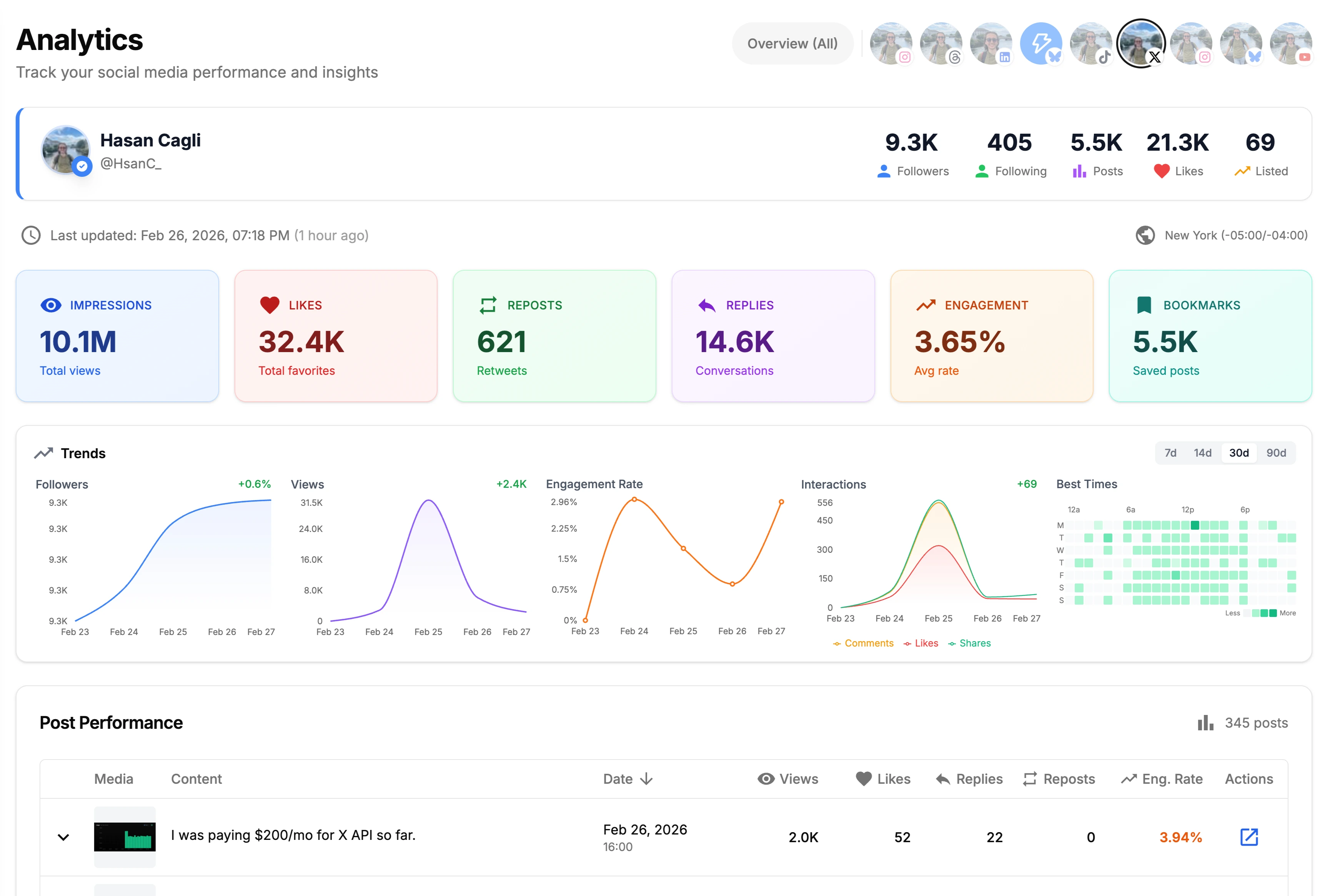
Track views, engagement, follower growth, and top-performing TikToks. See what's working so you can do more of it.

03

Full TikTok Customization

Custom thumbnails, captions, sounds, and TikTok-specific settings for every video.

04

Visual Content Calendar

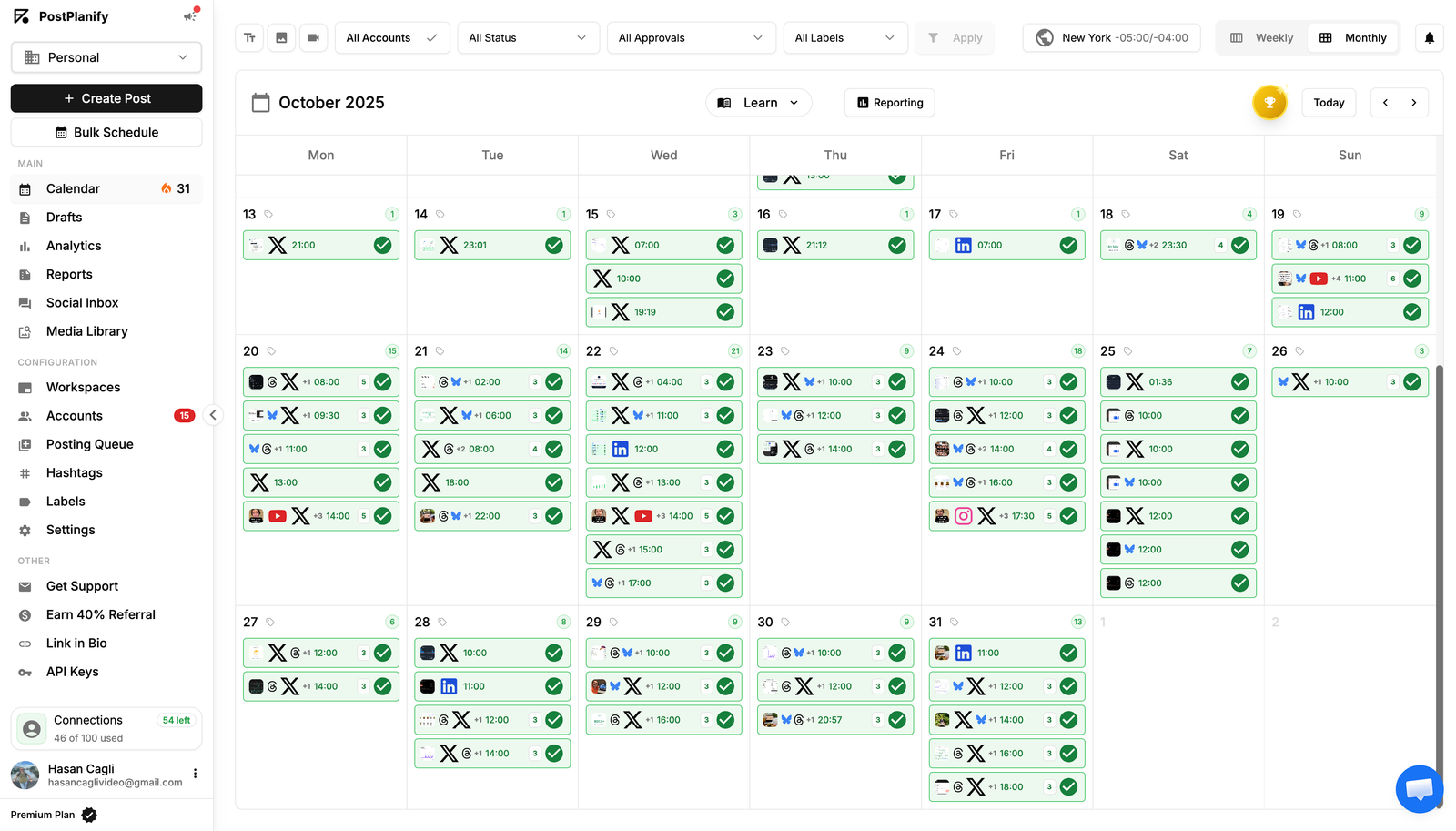
See your full TikTok schedule at a glance. Drag and drop to rearrange. Spot content gaps before they happen.

05

Best Time to Post

AI-recommended posting times based on your TikTok audience activity.

06

Hashtag Manager

Save hashtag groups and reuse them across every TikTok video.

07

Manage Multiple TikTok Accounts

Connect and schedule to multiple TikTok accounts from one dashboard.

08

Link in Bio Page

Custom-branded bio link page with analytics and unlimited blocks.

09

Import from Canva & Google Drive

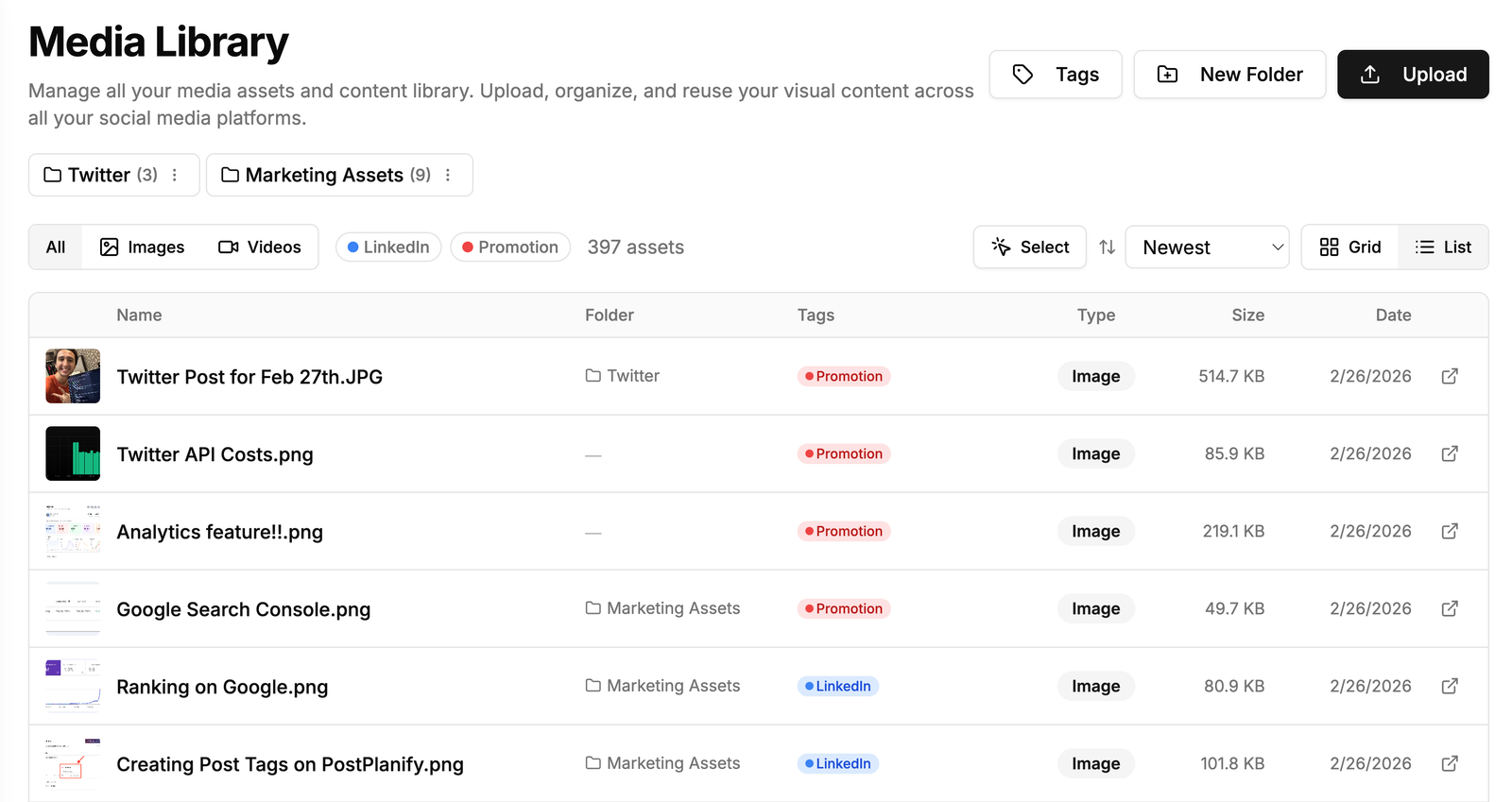
Import designs and brand assets directly into the composer without manual downloads.

FAQ

Everything you need to know

How do I schedule TikTok posts in advance?
Connect your TikTok account via OAuth, upload your video, add captions and sounds, pick a publish time, and PostPlanify auto-publishes through TikTok's official API.

Does TikTok penalize scheduled posts?
No — PostPlanify uses TikTok's official Content Posting API and publishes natively, just like manual posting. No algorithm penalty.

What is the best time to post on TikTok?
PostPlanify's analytics show when your audience is most active. Most accounts see peak engagement during commute hours, evenings, and weekends.

How do I schedule TikTok slideshows and photo posts?
Upload your images in the composer, pick the order, add music and captions, and PostPlanify auto-publishes as a TikTok slideshow post.

Can I schedule TikTok videos for free?
Yes — every plan includes a 7-day free trial with full TikTok scheduling, including videos, slideshows, and photo posts.

How many TikToks should I post per day?
1-3 TikToks per day is a strong starting cadence. The For You Page rewards consistency, so daily posting outperforms weekly binges.

Can I upload custom thumbnails when scheduling TikTok videos?
Yes — upload a custom thumbnail per scheduled TikTok. Cover images are saved as the post thumbnail before publishing.

What's the difference between TikTok's built-in scheduler and PostPlanify?
TikTok's built-in scheduler is limited to 10 days ahead, single account, no analytics. PostPlanify adds 6-month scheduling, cross-platform calendar, AI captions, and unified inbox.

Is it safe to use a third-party TikTok scheduler?
Yes — PostPlanify is a verified TikTok API partner. OAuth-based connection, no password sharing, official API access.

Can I manage multiple TikTok accounts from one dashboard?
Yes — connect unlimited TikTok accounts and manage them all from one PostPlanify dashboard. Switch accounts in one click.

Still have questions?

Can't find the answer you're looking for? Get started with a free trial or chat with our team.

User
User
User
User
User

Trusted by 2,150+ businesses

4.9/5 average rating

TikTok Scheduler — Auto-Publish, Auto-Grow

A TikTok scheduler lets you plan and auto-publish TikTok content in advance. With PostPlanify's TikTok scheduler, you can bulk upload posts, get AI-recommended best-time-to-post windows, and auto-publish to TikTok and 9 other platforms from one composer.

Compared to TikTok's native scheduler, PostPlanify adds cross-platform publishing, AI captions, unified analytics, and a single inbox for every comment — all without leaving the dashboard.

How do I schedule TikTok posts in advance?

Connect your TikTok account via OAuth, create your post, pick a date and time, and PostPlanify auto-publishes through TikTok's official API.

Does scheduling TikTok posts affect the algorithm?

No — PostPlanify uses TikTok's official API and publishes natively, just like manual posting. Your reach is unaffected.

What is the best time to post on TikTok?

PostPlanify's analytics show when your audience is most active. Most accounts see peak engagement during commute hours and evenings.

Can I schedule TikTok posts for free?

Yes — every plan includes a 7-day free trial with full TikTok scheduling, including every native format.

Can I schedule TikTok posts alongside other platforms?

Yes — schedule to TikTok and 9 other platforms (Instagram, TikTok, LinkedIn, X, Facebook, YouTube, Threads, Pinterest, Bluesky) from one composer and one calendar.

Schedule TikTok Videos Weeks in Advance

Plan your feed in advance. Stay consistent without opening the app daily.

  • Content Calendar
  • Full Analytics
  • Social Inbox